
Guides
Customising labels
Customising column and payment-method labels
If your team or your auditor prefers different wording, you can rename every column label and every payment-method label without touching code. These settings live under Settings → Custom text.
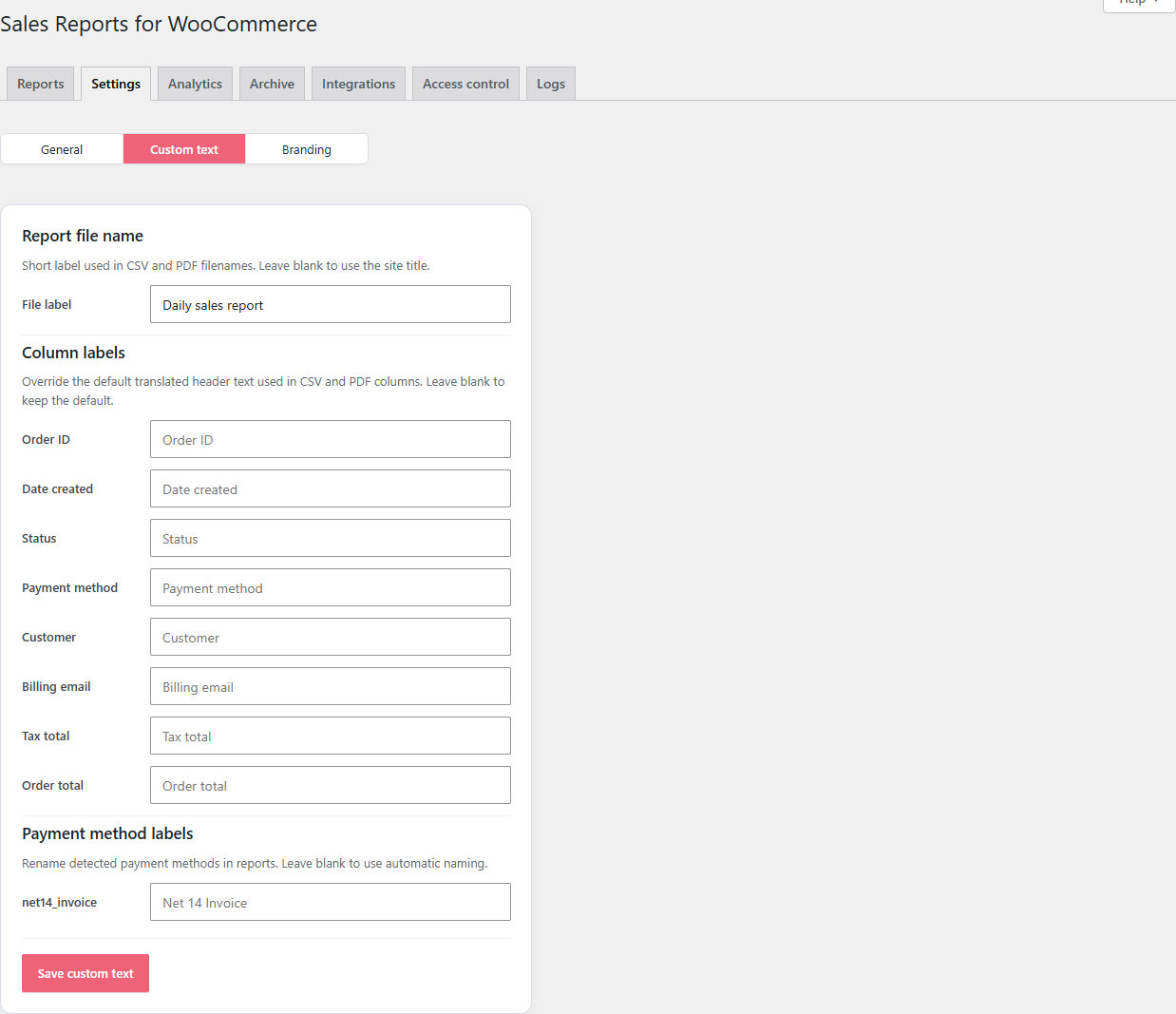
File label
A short label that appears at the top of the PDF and in the CSV / PDF filenames. Leave it blank to use your site title.
Common patterns:
Daily sales reportAcme — ordersBookkeeping export
Column labels
Every column header in the CSV and PDF can be renamed. The fields show the current default as a placeholder — type something to override it.
| Default | Common rename |
|---|---|
| Order ID | Order # |
| Date created | Date |
| Status | Order status |
| Payment method | Paid by |
| Customer | Buyer |
| Billing email | E-mail |
| Tax total | VAT (or ALV, MwSt, etc.) |
| Order total | Total |
Renames apply to every profile, every report, and every export.
Payment-method labels
WooCommerce gateways often have long internal titles like "WooCommerce Payments — Cards" or ppcp-gateway. Under Payment method labels, every gateway that has been used on at least one order in your store appears with its detected key on the left and an editable label on the right.
For example:
ppcp-gateway→PayPalstripe_cc→Stripebacs→Bank transfernet14_invoice→Net 14 Invoice
Empty fields fall back to the gateway's own title.
Languages
The plugin ships with bundled translations for 26 languages: Finnish, German, Spanish, French, Italian, Brazilian Portuguese, European Portuguese, Dutch, Swedish, Danish, Norwegian Bokmål, Polish, Russian, Turkish, Japanese, Simplified Chinese, Ukrainian, Czech, Romanian, Hungarian, Greek, Arabic, Indonesian, Vietnamese, Korean, and Thai.
To override or extend a language, install Loco Translate and translate the lafu-sales-reports-for-woocommerce text domain. Your overrides live in wp-content/languages/plugins/ and survive plugin updates.
Save and verify
Click Save custom text after editing. To check the result, fire Generate & Send now under Reports → Generate report now and open the resulting CSV or PDF.
Improve this page
Spot something confusing or outdated? Send the docs team a private note.